I do the Guardian cryptic every day, and have done since the last century. Earlier this year I got fed up enough with their page that I built my own.
This weekend I decided to improve the anagram solver I’d made. I’m actually pretty good at anagrams, but occasionally I just can’t see the answer and turn to online anagram sites.
The online anagram solvers are almost uniformly horrible, even with ad-blocking enabled. Cookie banner, advert, advert, a box, an advert that reflows the page just as you go to click the box, and then a wall of results that includes every sub-anagram of what you typed, because the site was built for Scrabble players. I think I can make something that works better for my needs.
The interface is deliberately plain.
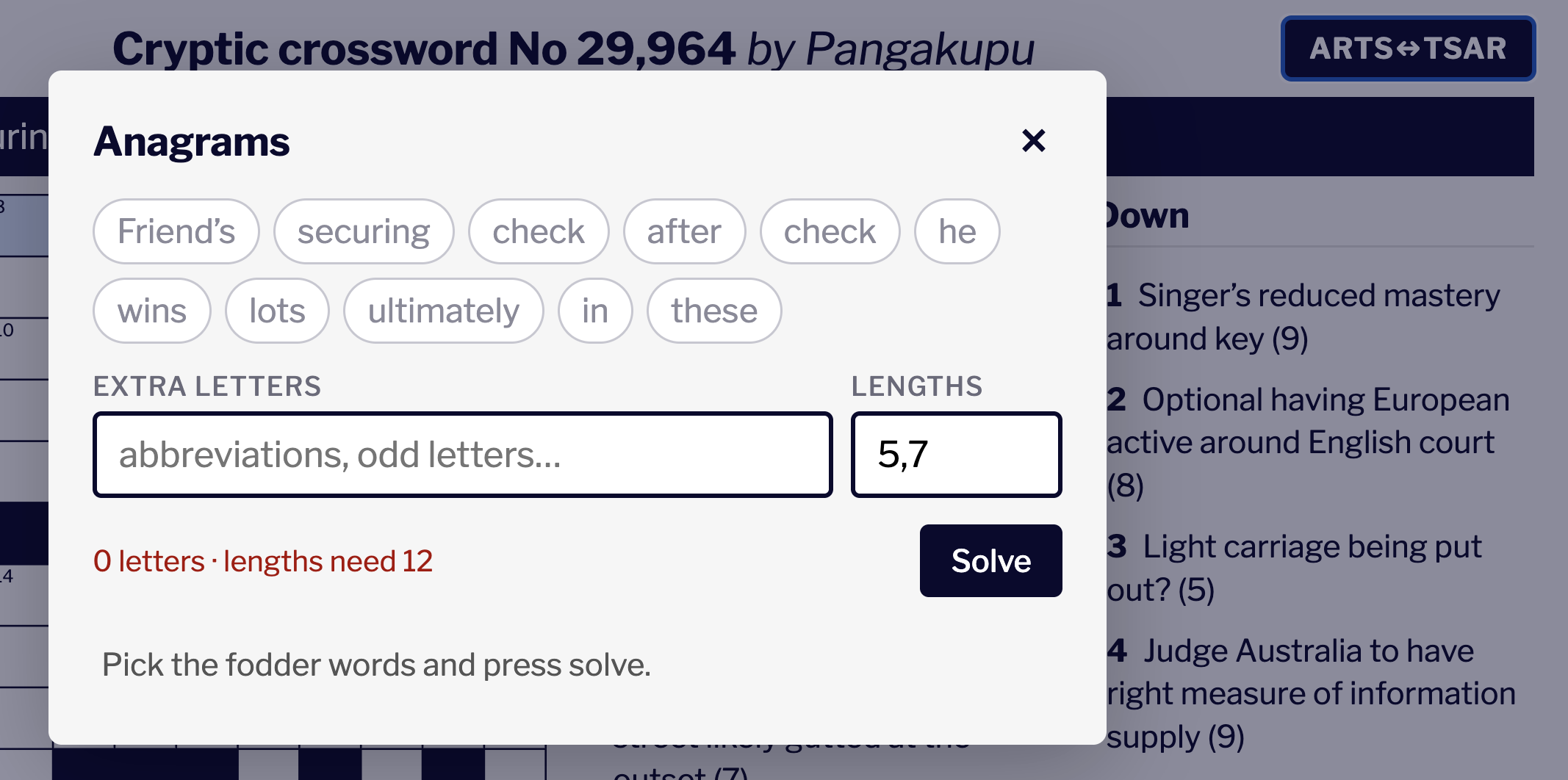
The anagram panel. Click the fodder words, add any stray letters, press Solve.
I started the way you’d expect: a text field, pre-filled with the clue I was looking at, so I could delete the bits that weren’t the anagram. That lasted a few weeks of real use. What I actually do when I’m solving is glance at a clue and think “it’s those two words” — and deleting six words to keep two isn’t the best way to express that.
So now the clue arrives as a row of little pills, one per word. I click the ones I think are the anagram words. Much better.
The text box didn’t go away, because cryptics won’t let me off that easily. Half the time the fodder isn’t whole words — it’s an abbreviation, or a single letter borrowed from “heart of Rome”, or a word with its last letter chopped off. So there’s a field for extra letters where I can type whatever the clue has actually handed me.
Clues also give you letter counts — (8,7) — so the box reads that and fills in a lengths field, which you can edit or clear. I parse this to set some constraints on the search.
One thing I don’t do is look at the grid. It doesn’t know which letters I’ve already filled in and it won’t put an answer into a square for me. I’ve found that there’s a real tension in building tools for puzzles: every bit of automation you add takes a little of the puzzle away. So I’m deliberately careful here to preserve the friction.
However I do want it to be fast — there’s friction and then there’s “this page is not responding” in Chrome. My initial build left a lot to be desired on this count, but after a bit of work it’s nice, fast and hopefully pleasant-to-use.
It’s all at xword.whitebeard.blog if you’d like a go — put in a path like cryptic/29963 and it’ll fetch the puzzle. The anagram button is the one marked ARTS↔TSAR.
And if you’re not a Guardian member, I trust you’ll carry the correct amount of guilt about not doing the crossword on their site. I certainly do. I’d still rather they improved their page.
And, if you’ve already done your daily crossword and want to know how it was built, and how I sped it up, read on.
First make it work, then make it fast.
The dictionary is UKACD, the UK Advanced Cryptics Dictionary, put together by J Ross Beresford and released under a BSD-style licence. It’s about a quarter of a million entries, and unlike a spellchecker word list it’s built for this — it has the proper nouns and the odd little phrases that setters actually use.
The first question is how you find an anagram in a word list at all, and the obvious first idea is to sort the letters. “listen” and “silent” both become eilnst. So you go through the dictionary once, sort each word’s letters, and file the word under that. Now a one-word anagram is just a lookup. Sort the letters you’re holding, go to that drawer, take out everything in it. That works well for anagrams that map to single answers.
The problem is that a cryptic answer is often two words, or three. (8,7) means the fifteen letters have to be split, and you don’t know where.
There’s a simple recursive algorithm:
solve(letters, words = []):
    if letters is empty:
        return [words]

    answers = []
    for each word in the dictionary:
        if that word's letters fit inside letters:
            new_letters = letters - word's letters
            new_words   = words + [word]
            answers     = answers + solve(new_letters, new_words)
    return answers
We can make this a bit quicker by not scanning through the whole dictionary every time, with just a bit more complexity:
solve(letters, words = [], start = 0):
    if letters is empty:
        return [words]

    answers = []
    for i from start to end of dictionary:
        word = dictionary[i]
        if word's letters fit inside letters:
            new_letters = letters - word's letters
            new_words   = words + [word]
            answers     = answers + solve(new_letters, new_words, i)
    return answers
And we can also make the dictionary itself smaller by doing a single pass through it first and getting rid of words that could not possibly be candidates. In my testing that takes the dictionary from around 250,000 words to between 400 and 1,200. That adds up to a big saving, given the non-linear cost of the recursion.
anagrams(letters):
    candidates = []
    for each word in the dictionary:
        if that word's letters fit inside letters:
            candidates = candidates + [word]
    return solve(letters, candidates)
Next I looked at speeding up “if that word’s letters fit inside letters”. When I load the dictionary, for each word I save an integer with one bit for each letter that word uses. Now I can rule out most candidates with one simple integer operation. And, to go further, I can add a second integer with a bit set for every letter the word uses more than once, and check that first for an even smaller checking time. I could go on adding integers, but testing showed that two was enough for a significant speed-up.
load_dictionary(file):
    dictionary = []
    for each word in file:
        entry.word   = word
        entry.counts = count of each letter in word
        entry.once   = integer with bit n set if word uses letter n at least once
        entry.twice  = integer with bit n set if word uses letter n at least twice
        dictionary = dictionary + [entry]
    return dictionary

fits(entry, letters):
    if (entry.twice AND NOT letters.twice) is not zero:
        return false
    if (entry.once AND NOT letters.once) is not zero:
        return false
    return entry.counts fits inside letters.counts
The other change was to stop being so even-handed about which word to try next. Not every English letter is equally common. At any point in the search you’re holding some letters, and instead of trying every candidate, you find the rarest remaining letter — the q, or the lone k — and only try words that contain it. You lose nothing: whatever the answer turns out to be, some word in it has to account for that q. And the branching collapses, because a handful of your candidates contain the q and very nearly all of them contain the e. I was pretty pleased with this!
solve(remaining, words_left):
    …
    letter = the rarest of the letters still remaining
    for each candidate containing that letter:
        if it fits:
            solve(remaining minus it, words_left minus one)
    …
All these things took my anagram solver down from 25 seconds to 24 milliseconds. I’ll take that as an improvement.
Now, you’re probably wondering why I don’t preprocess the dictionary heavily before it even reaches the app. I thought this too, but some testing and measuring surprised me.
Pre-calculating the word bit indexes increased the size of the dictionary file and introduced a bit of string-to-integer parsing into the code that reads the file. This was, to my surprise, overall slower than building the indexes each time in the Elm code as shown above. This annoyed me, because I always want to do work just once. But I got over it.
Then I thought I could shrink the file by using a lower bit encoding. I don’t need the bytes UTF-8 gives me for each character; five bits will do. Well, it turns out that the file being zipped means it hardly buys me anything in size, and it’s significantly slower to re-inflate. Zip implementations in browsers are fast.
Another zip finding, which I knew but forgot. I was storing each word twice — once in order and once as a sorted list of letters. So I thought I could just store the sorted word and a permutation. Of course, this didn’t really help: I was compressing the part of the file that zip would do a better job on.
There are lessons in here about measuring before optimising, about trade-offs between bandwidth and processing. I’m still thinking about ways to make the dictionary download smaller but I’m happy with where I’ve got to for now.