
I like standees a lot. Enough to build a tool to make printing them easier. Apparently enough to spend a chunk of my spare time rebuilding that tool from scratch. Here’s version two.
What’s new
The biggest visible change is the carousel. In v1 you’d upload an image, see a flat preview, and squint at it trying to imagine the finished standee. Now each pawn is displayed as a rendered standee card — coloured plastic base included — in a coverflow-style carousel. You can flick between pawns, see side stacks peering in from the edges, and actually get a sense of what you’re making before you commit to printing it.
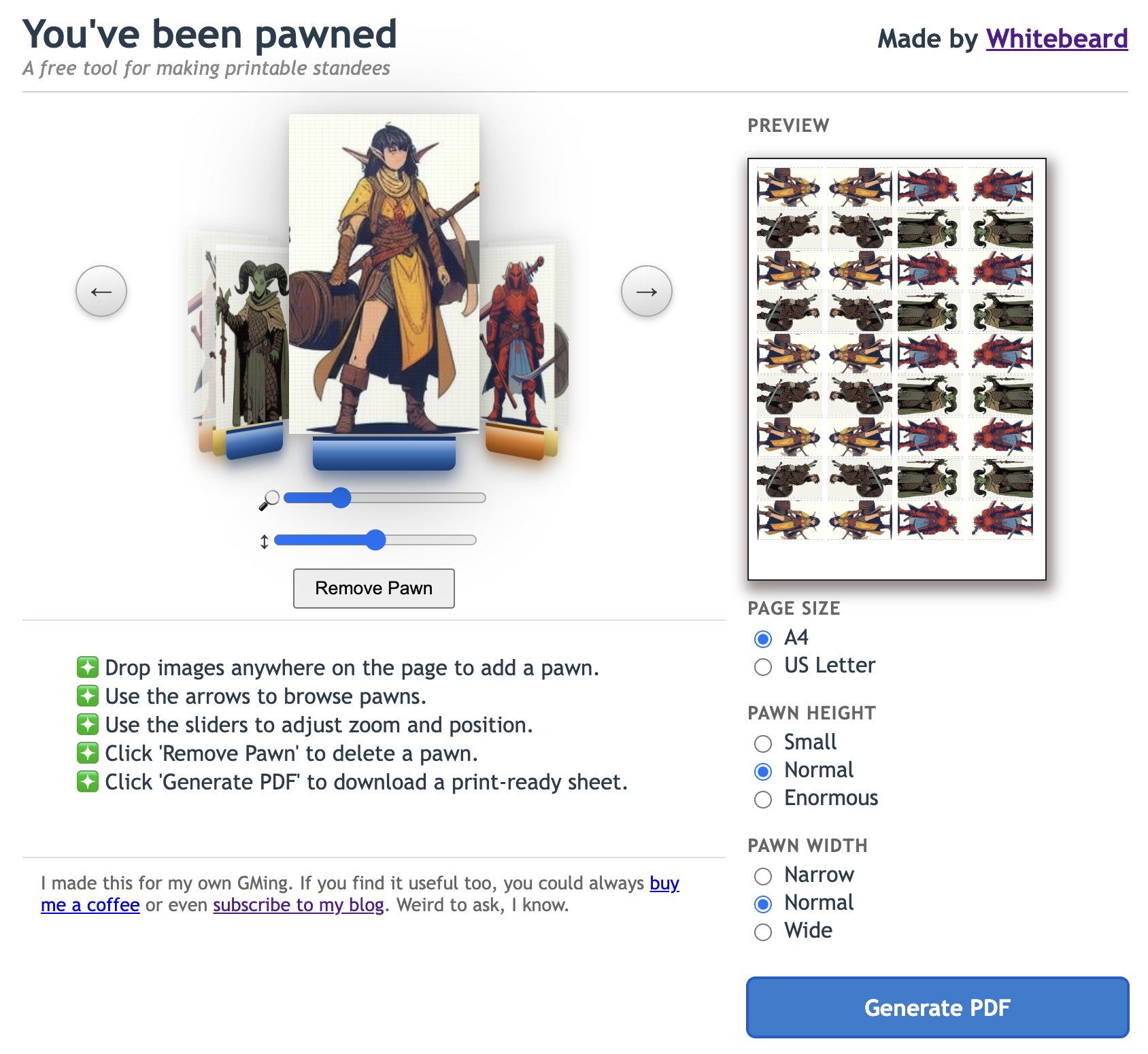
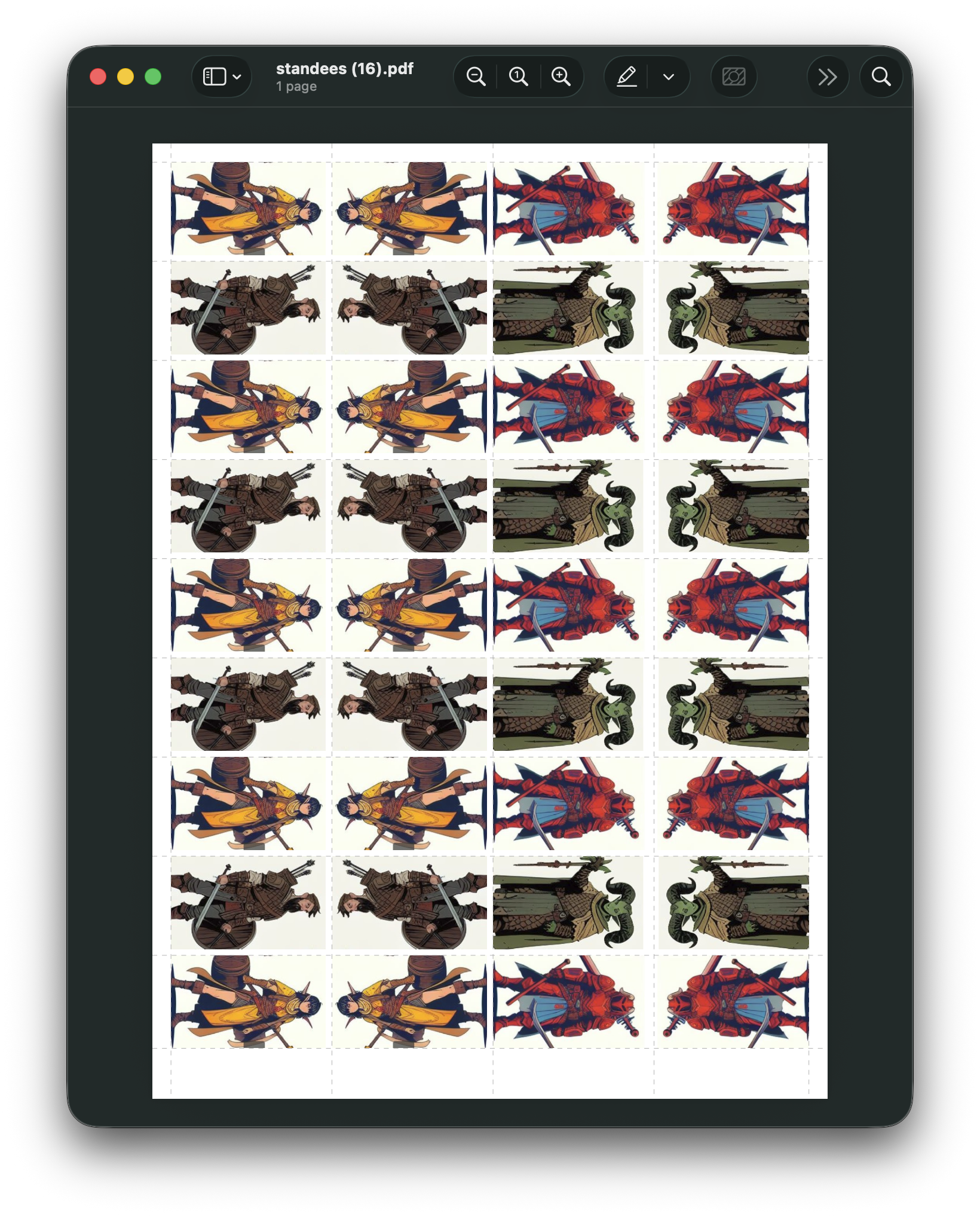
The second change is PDF export. The old version relied on overly clever print stylesheet monkeying to hide the UI when you printed the page, which was confusing. V2 generates a proper downloadable PDF with dashed cut guides laid out and ready to go. It’s an extra step, but it’s the step you’d expect.
There are a handful of smaller additions too: a Pawn Width control (Narrow / Normal / Wide) alongside the existing size options, and you can now drop images anywhere on the page rather than hunting for a specific drop zone.
I hope you enjoy using it and it saves you some precious GM time.
A note on how it was built
V2 was put together almost entirely with Claude Code. I went into it optimistic but genuinely unsure — AI-assisted coding has had a lot of hype and I’ve learned to be sceptical of hype. But it was a remarkably smooth process. The chat window kept me oriented through what was a fairly large update, and I ended up changing almost no code by hand. Make of that what you will. I’m choosing to take it as good news, while quietly accepting that roughly 95% of my accumulated skills may now be worthless.
Give it a try. It’s free — there’s a Ko-fi link in the footer if you want to say thanks. And if you find it useful, pass it on to your GM or share it on your socials.
If you use it, I’d love to know how the PDF output holds up — particularly whether it prints correctly on A4 and US Letter. And if something’s broken on mobile, that’s on the list for v3, along with an AI image generation feature that I’m excited about. More on that when it exists.
 Whitebeard's Realm