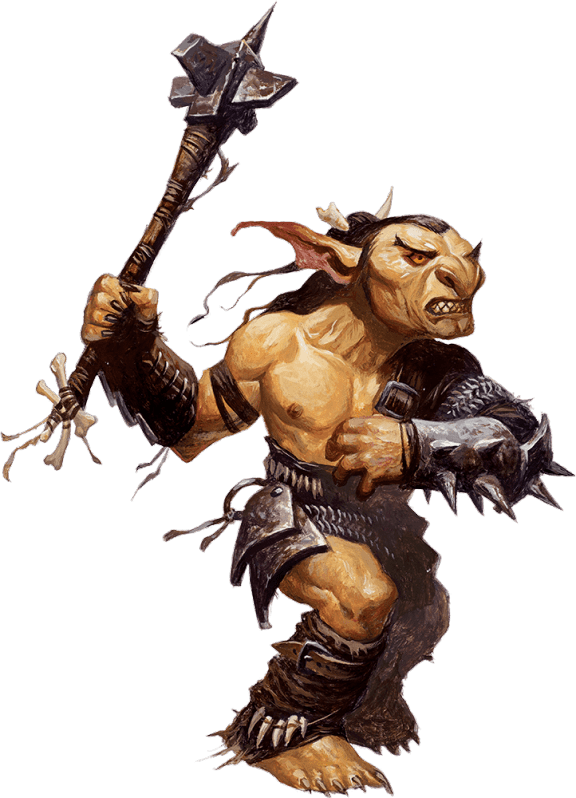
An online tool to make playable paper pawns

I’m always in a rush before my in-person D&D games. Draw the maps on the whiteboard, refresh myself on the adventure, sharpen my pencils, pack the bag, set off on the bike. One of the most time-consuming bits has been finding miniatures or making standees for the players and enemies. All the worse because it involves casting strange incantations over the printer to get it to work.

Too often, I’ve resorted to using blank plastic standees that I can write on with a whiteboard marker – usually with the initials of the monster or bad guy. But the players just don’t gasp in the same way when you plonk down a white bit of plastic with an O on it. Much better to surprise them with something that looks the part.

That’s why I’ve made You’ve been Pawned – a simple tool that you can throw a bunch of images at and will reliably produce a page of standees to print. It should work in most Desktop browsers – if not let me know and I’ll try to fix. I find it really easy to get Bing Images (or other friendly AI) to make a few fun characters and to drop them into this tool. With a bit of help from the laminator and some scissors, I can make a whole session’s worth of characters in one go.

I use some of these whiteboard friendly blank game board markers from Amazon to hold up my standees. I think they work pretty well, and I particularly like that there are plenty of colours so I can throw a bunch of Orcs on the table and not get confused between them.

It’s also the first real bit of programming I’ve done for a while. Elm is my go-to language for making this kind of browser tool – something built primarily to work for me, but that other people might find useful. I find something playful about the language/architecture – it lets me get experimenting on the important bit of the problem right away, knowing that in the future I can lean on the type system to help me reorganise the code safely. And I find reactor-type code much easier to deal with than async/await code in javascript. In this case, the tricky bit for me was getting the CSS transforms for the offset and scaling of the images correct.

Let me know if you find You’ve been Pawned useful. If you have a particular feature you’d like that will make your life easier without making the tool too complex, drop me a line and I’ll see what I can do.
A few months on StartPlaying.Games

I’ve been listing my online games on the player-GM-match platform StartPlaying since last year. Here’s how it’s gone so far.

StartPlaying calls itself “the largest online platform for players to find tapletop roleplaying games” and for the GM it provides a bunch of services – you get a nice profile page, a simple way to schedule and price sessions, a review system, a messaging system to communicate with players and they take care of all the billing/charging too.

I’m pretty pleased with how these services all work together – I don’t think the UI is much to write home about but it’s improved in useful ways over the past year and I don’t see any reason why that wouldn’t continue. They take a cut of billings. That’s very reasonable. It all works nicely.

A few things I’ve been impressed with – it handles timezones well so I can list things in my local timezone and avoid some of the confusion with players around the world. And recently they’ve released calendar subscription which is great for sharing my listing times with my partner or automating my upcoming games posts.

For players I think it works well – you can sign up and find a campaign pretty easily and expect a good experience and there are a good variety of systems , styles and settings to choose from.

None of these things matter though as a GM, if it can’t deliver the players to you.

I guess I’m in an odd situation – I schedule games when my kids are in school, which means mornings GMT. This is a reasonable evening time in Australia but sucks for the UK and Europe – people seem to have proper jobs to go to – and only extreme nighthawks can make it from the States. I’ve managed to get a couple of games off the ground and all my players have come from my marketing efforts off-site. I’ll write about those another time. But the site itself really hasn’t delivered the amount of players I need to make a success of things.

The discord is full of GMs happy to critique your profile or your adventure listings to encourage sign-ups and there are helpful webinars run by the company on best practices for listings. Call me cynical, but the advice feels a bit SEO-like: ‘here are some things that gave results for me by luck, dressed up as hard advice you should follow’. What worked for one GM twelve months ago to build their audience is as close to anecdote and as far from data as I can imagine.

I’d really like to see some more analytics. I want to know how many people viewed my listings on the site, how many clicked through, how many moved on to read my profile, how many went on to book a different GM. All so I can to try to figure out what point they decided against signing up and tweak accordingly. That way I could make a stab at a few adjustments and more importantly I could monitor behaviour after making changes to see if there’s an effect.

Right now, I’m only guessing that there aren’t many people looking in my games’ timeslot. I have no idea perhaps there are hundreds that just don’t want what I’m selling or are turned off by something I say in my profile. I have no way to tell. Pretty sure the over-confident advice-givers on discord have no way to tell either!

I’d also like to see a better matchmaking service for GM seat-swapping – this is when another GM joins your game to make up the numbers and you recriprocate for them. There’s a discord channel – but it didn’t work at all for me. Approaching GMs directly had a much better result. If games take a while to fill with players, it’s essential that I can offer a decent game to the first couple that show up.

I’m going to stick with StartPlaying for now. As I say, the services it provides all work well enough together an do make my life easier but I’m left having to do the marketing myself, and somewhat in the dark. I think I would prefer a different balance – I’d be happy with less developed GM services if the marketing was slick and it delivered players to me.

If you do want to try out StartPlaying, as a player, using this referral link gives me a little kickback when you book your first game: https://startplaying.games/referral/ckrxv8ebu2dfvbopkbp96htc0

How I use Avrae

Avrae is a very capable D&D discord bot made by DnDBeyond. It’s complicated. In the spirit of ‘complex tools, used simply’ I want to share how I use it when I’m GMing a game.

I have a go-to set of 10 or so commands that I can remember and that I use. I’ve tried to use more of it in the past but my brain has been full for a long time and I can’t pick up these tools like I used to. As always, you may conclude differently. This is what I do, not what I think you should do.

Setting up Avrae

Most of the time, if you’re playing with me, you won’t know that I’m using Avrae. I have a separate channel in discord that I use to talk to the bot. This has a couple of useful side-effects – I can use it to look up stuff and make rolls without the players seeing and I get a convenient history in that channel of all the avrae commands I’ve used in the game.

I’ve tried introducing avrae to players by having it available out in our #gameplay channel but I’ve found that even if you’re playing with someone who can make it sing like a stradivarius, you’ll still get a lot of autogenerated noise, especially when mistakes are made. And I’ve found that at least one player will be sat there wondering what the hell is going on.

I have avrae connected to my DnDBeyond account – I’m guessing I did this by following the invite process on their site but it’s so long ago I don’t really remember.

Importing characters

Before every game, I update avrae:

!update

And then I import any new characters using the URL of their character id:

!import  https://www.dndbeyond.com/characters/[character_id]

Creating character tokens

!char list

will give you a list of available characters

!char [name]

will let you switch the current character that commands in avrae run against. I usually just use a the first few letters of a character’s name to run this command. If it’s ambiguous, avrae’ll give you a list of characters to choose from.

!token -border none

will give you a nice round token for the character with no branding. I use owlbear rodeo and can usually just drag that token into the game.

!portrait
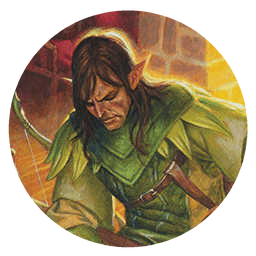
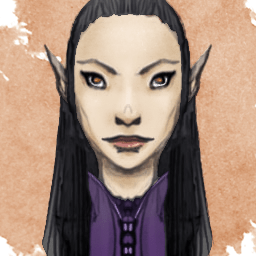
Calista Brelladora

this will give you a square portrait if you want to stamp the token in a different way.

Creating monster tokens

I have two ways that I use to make monster tokens. You can create a nice round token – but unfortunately you can’t remove the DnDBeyond branding . I guarantee one of your players will ask what that big ‘B’ is for.

!token [monster name]
Goblin

Or you can get the image for a monster:

!monimage [monster name]
Goblin

I tend to use the round tokens if I’m on a navigation map – say a map of a village or of an area. The full images I use on combat maps.

Making rolls

The dice syntax is really powerful. I don’t use it – I just use it for simple rolls. Again, my brain is full and I worry that if I learned the whole dice syntax I’d have to forsake some other knowledge that might be more useful. For simple rolls like this, it avoids having to do maths:

!roll 2d20+4

Making random names

This is really useful when you’ve invented an NPC and someone asks for their name. Do not hesitate when asked, run this and then say the name as if you had it all along.

!randname [optional race]

Getting rules and stats information

There are plenty of lookup commands that bring back 5e rules and other information. These are the ones I tend to use. Especially the condition rules for some reason.

!monster goblin
!condition grappled
!spell mage hand

Er… that’s it

And those are all the commands I use. I know it’s a much richer tool – there are more commands and the commands I’ve shown here have more options. But this is what I do. I find them very powerful on their own and also empowering. You might find the same.

One last thing, Avrae encourages you to type !help. Do not be scared if you do this – so much stuff appears and it’s really difficult to know where to start. When you’re comfortable running a few commands and using the basics in-game, then you can look into the abyss run the help command safely.